
Synthr Testnet
Closed1. Click "Faucet" in the menu on the left. Specify the Arbitrum Sepolia network and the ETH token. Click "Request":
Click "Faucet" in the menu on the left. Specify the Arbitrum Sepolia network and the ETH token. Click "Request":

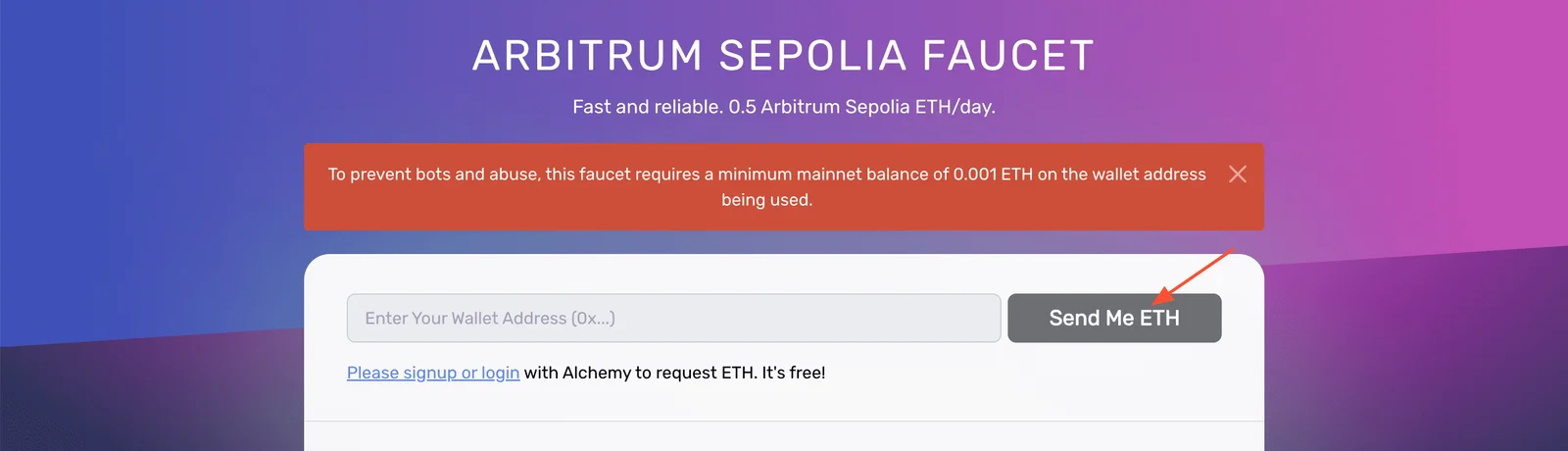
You will be redirected to the Alchemy page. Enter your wallet address and click "Send me ETH". You need to register for this step if you have not used Alchemy before.
Next, request eETH and confirm the transaction:

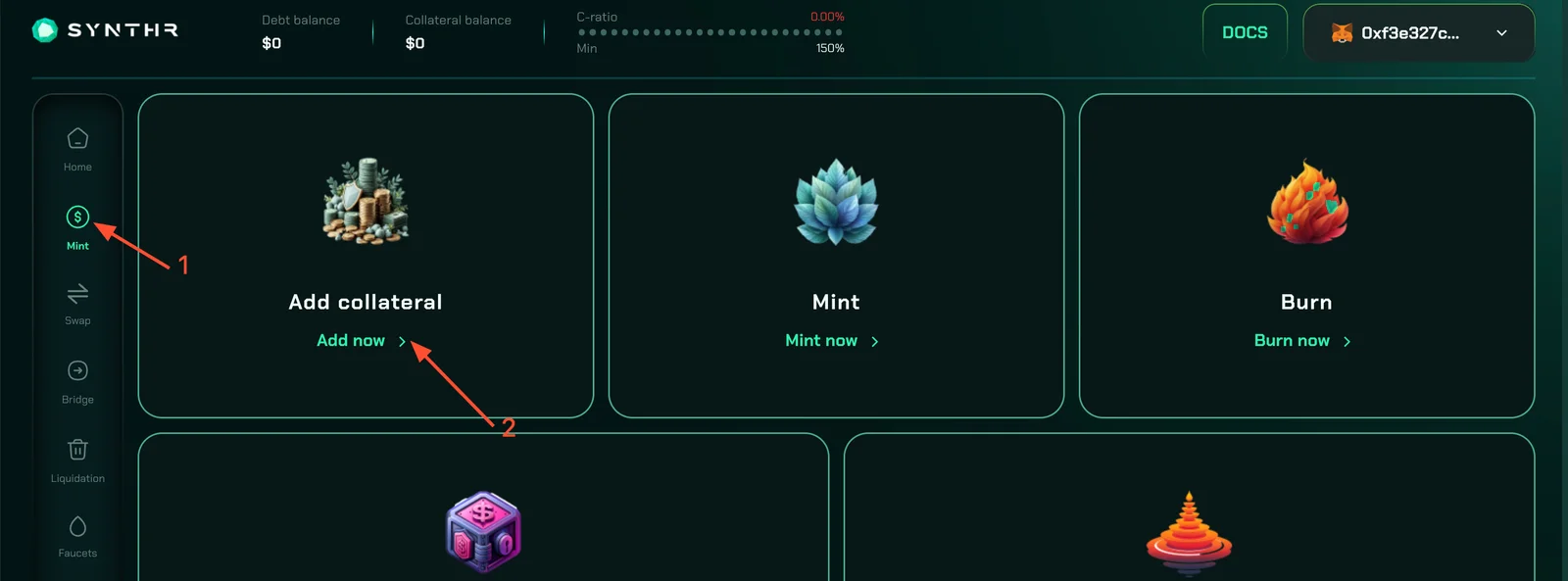
Open the "Mint" tab and click "Add now":
Select eETH from the collateral dropdown menu and choose an amount:

Next, click "Proceed to Mint" and mint syUSD on the Avalanche Fuji network: *You can also interact with other functions on the "Mint" page to increase testnet activity.

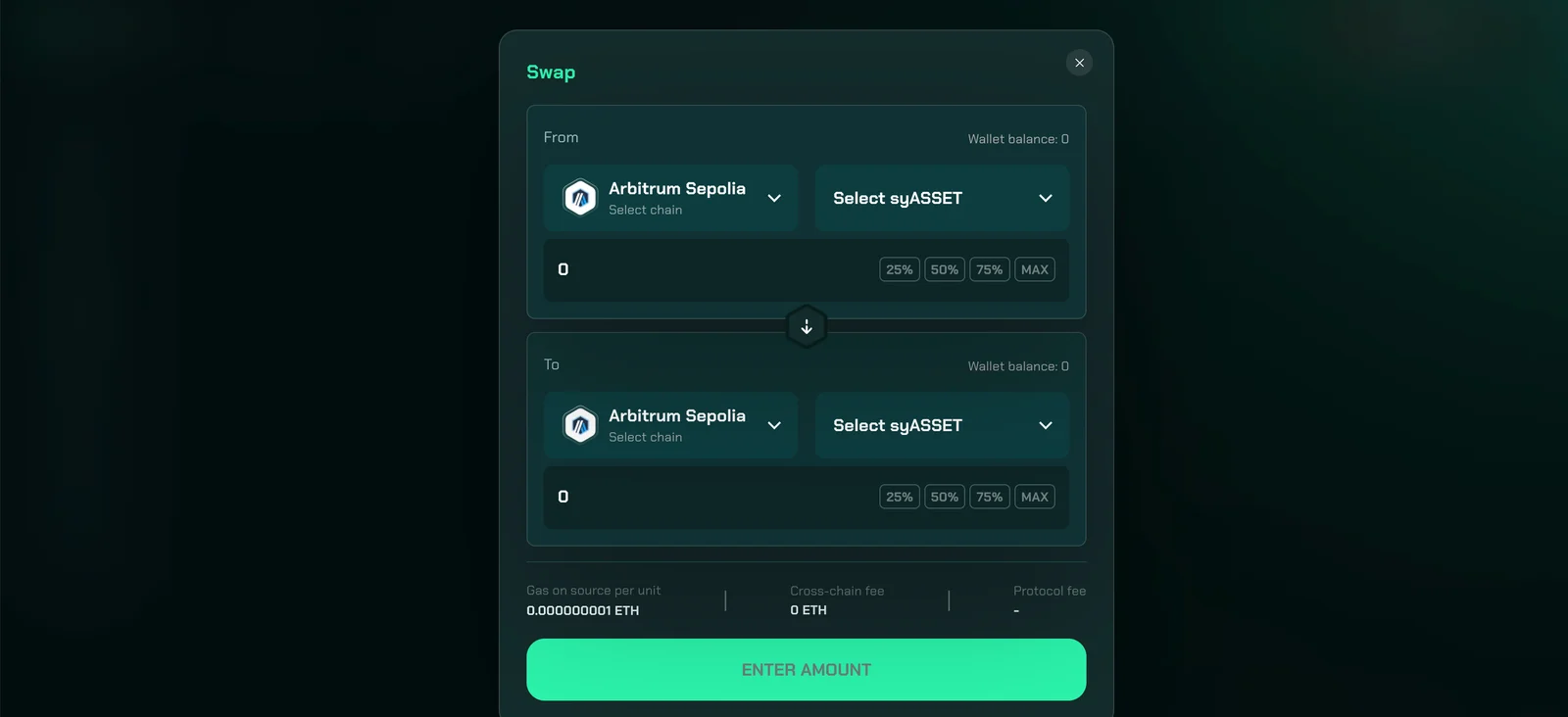
On the left menu, open the "Swap" tab and make some swaps:
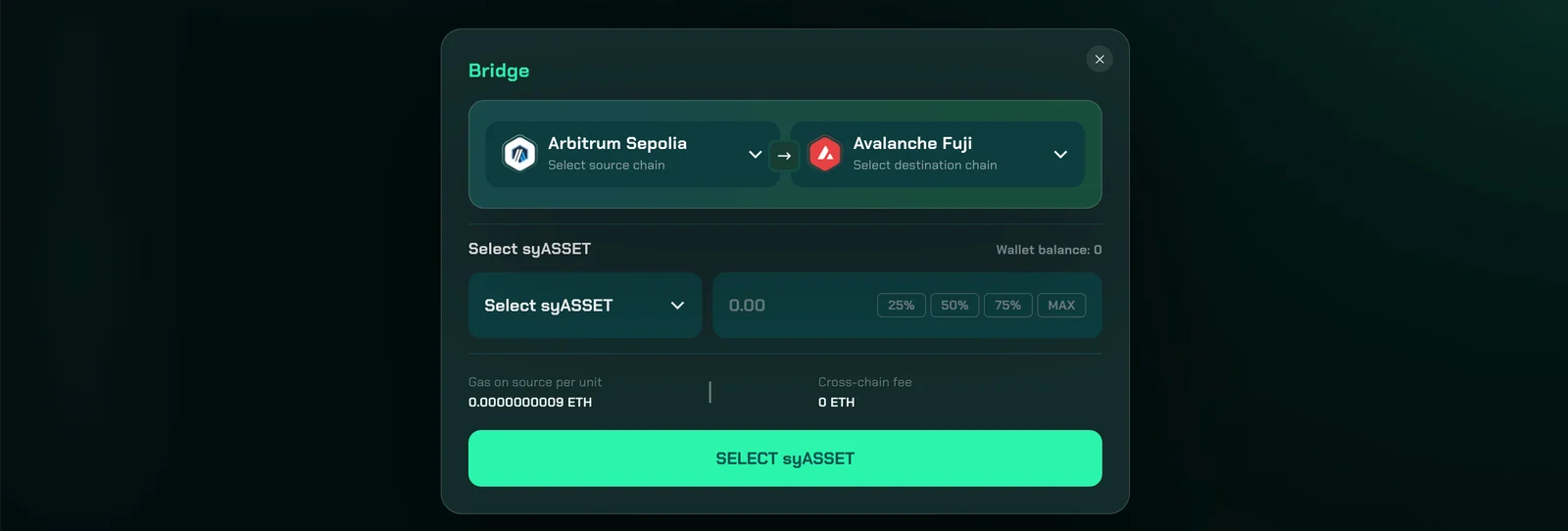
Open the "Bridge" tab and bridge tokens from one network to another: For all these actions you will get syCREDITS! The more transactions, the more syCREDITS that can be converted into tokens in the future!
Participating in airdrops is your choice and your risk. We don't guarantee any rewards. Connect your wallet only to official websites. If someone asks you to send crypto – it's a scam.