
Ordeez Testnet
OpenOrdeez has announced the launch of its testnet. You can already perform several actions on the testnetwork and complete social tasks. You'll need the UniSat or Xverse browser extension to participate.
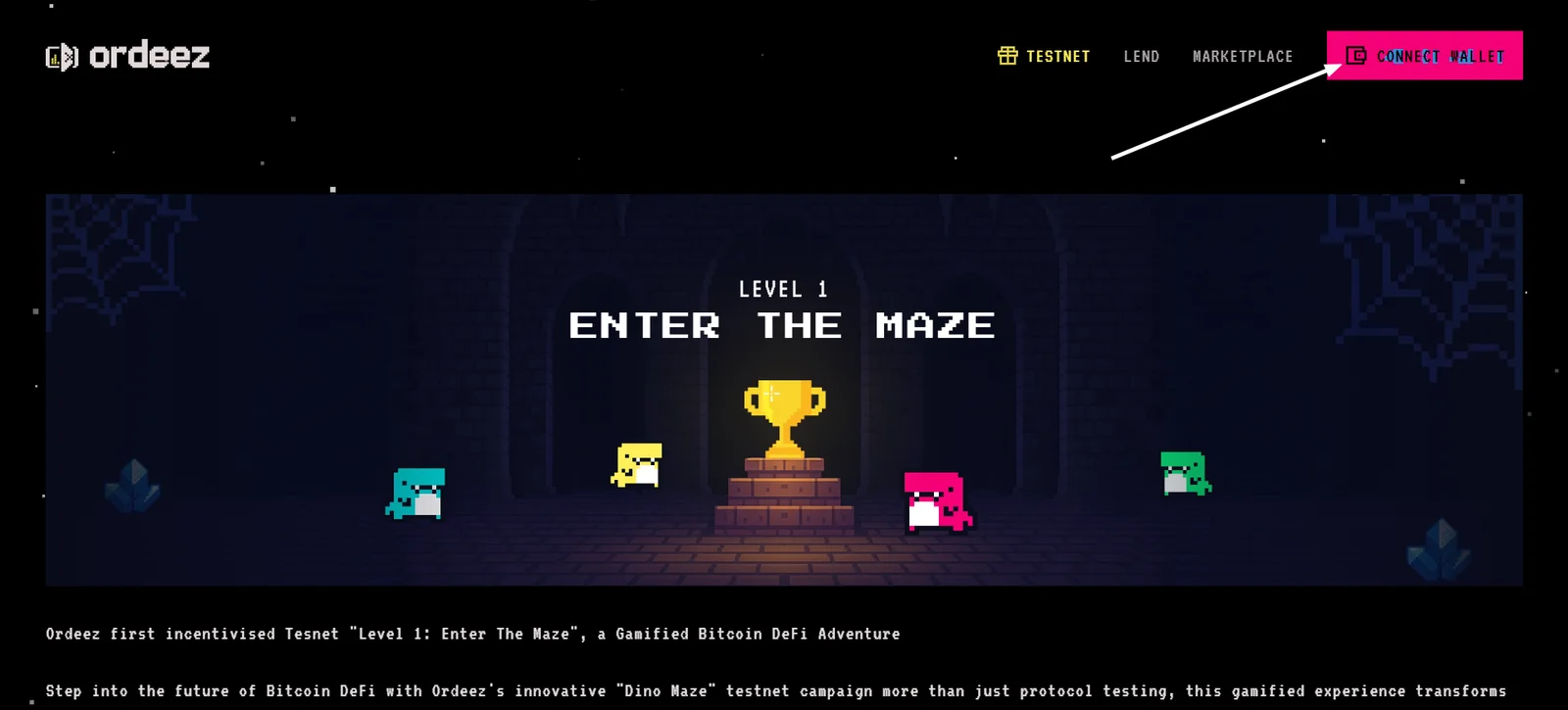
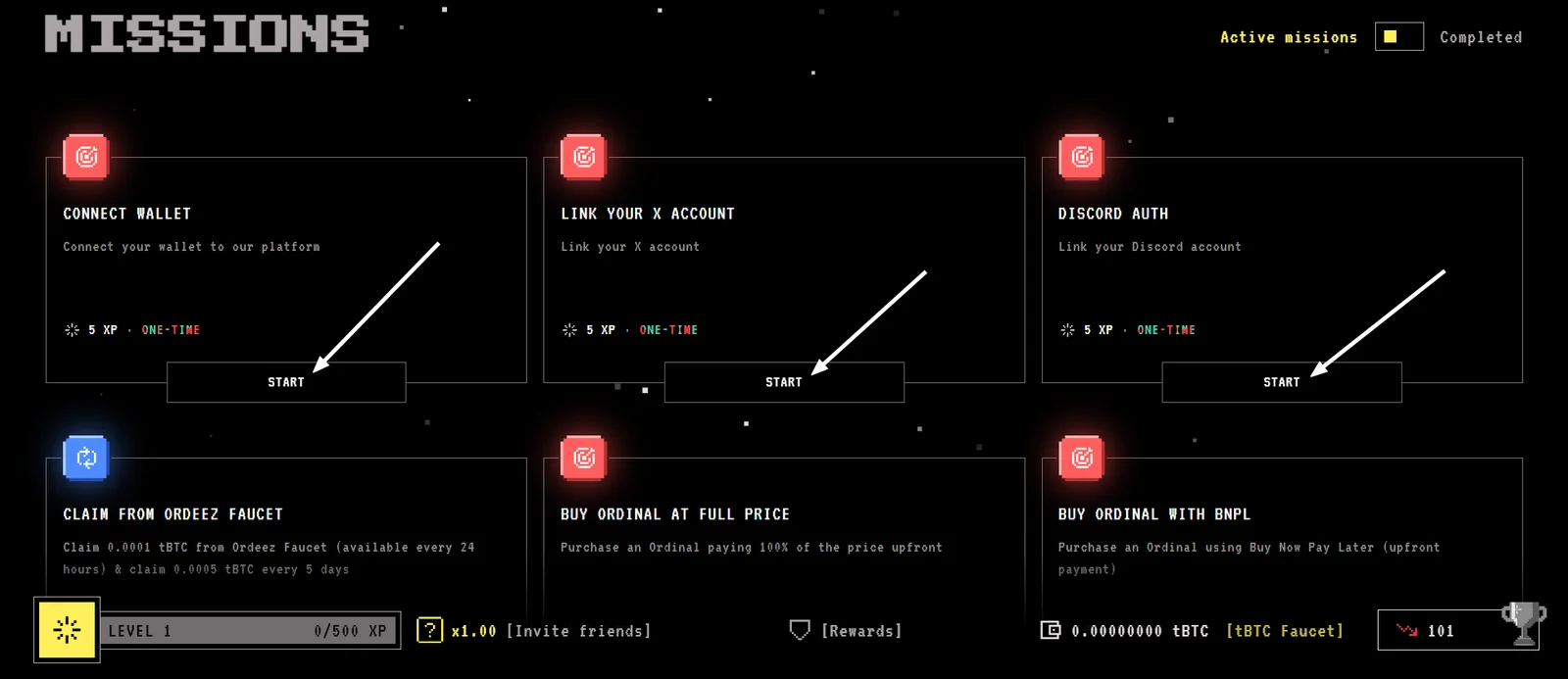
Scroll down the page to find the missions section. Complete the first three tasks and don’t forget to click Claim Reward to receive your rewards.
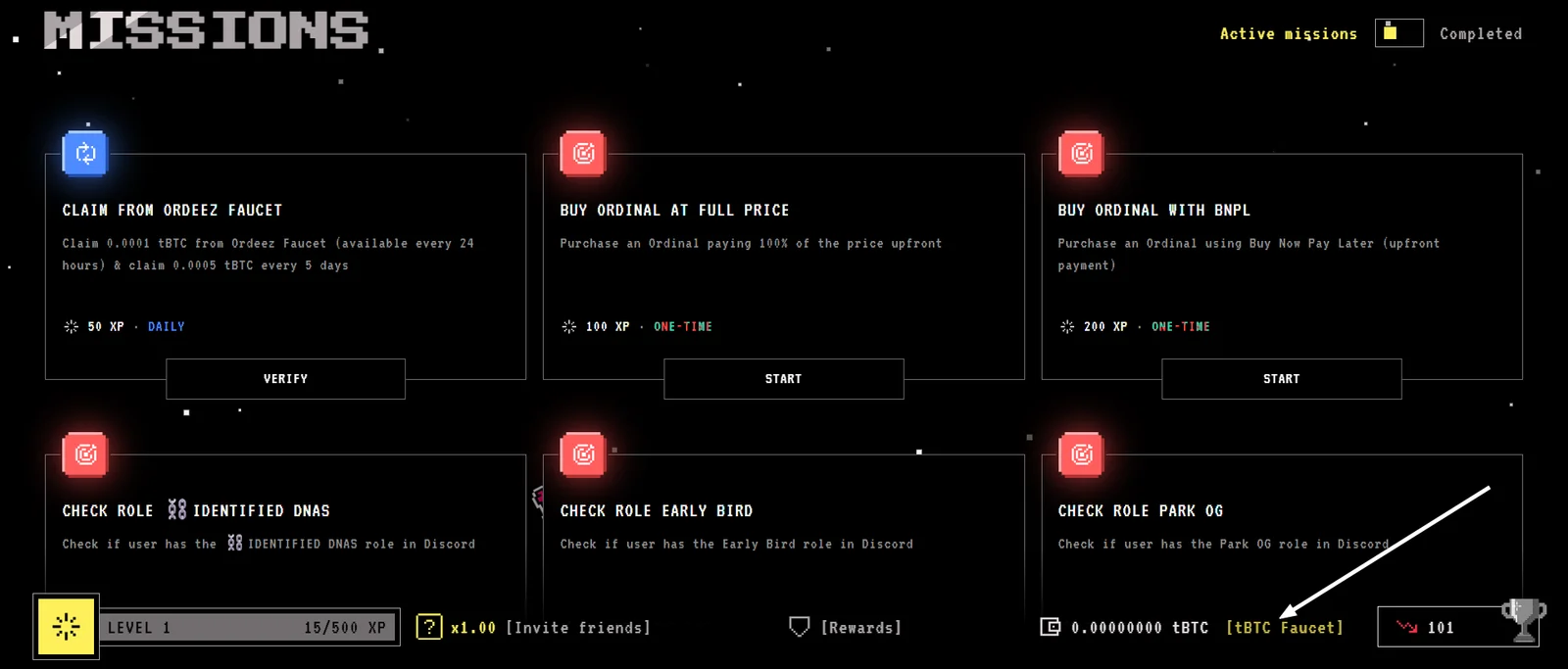
Then claim test tokens by clicking tBTC Faucet, then Confirm. You can request test tokens every 24 hours.
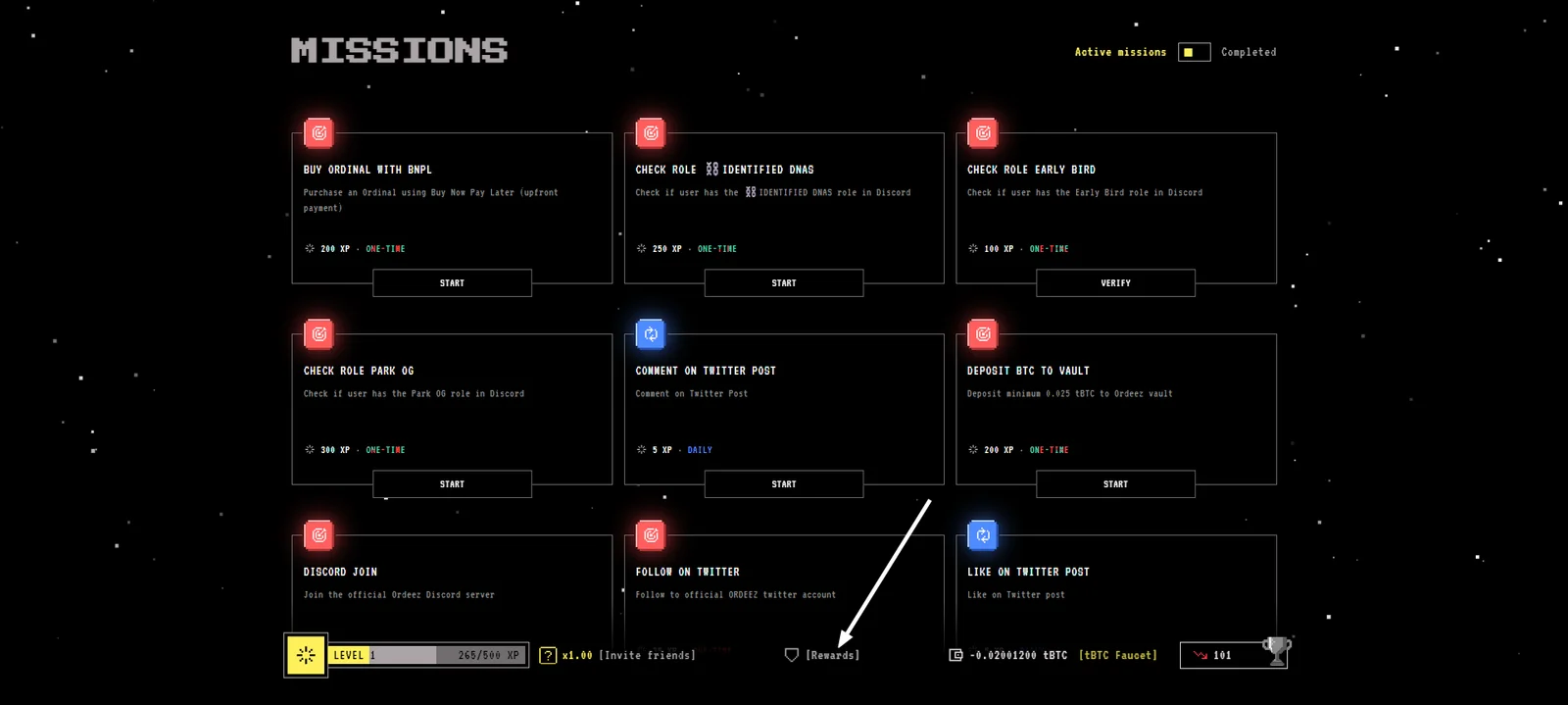
Complete all remaining available missions.
Claim additional XP in the Rewards tab.
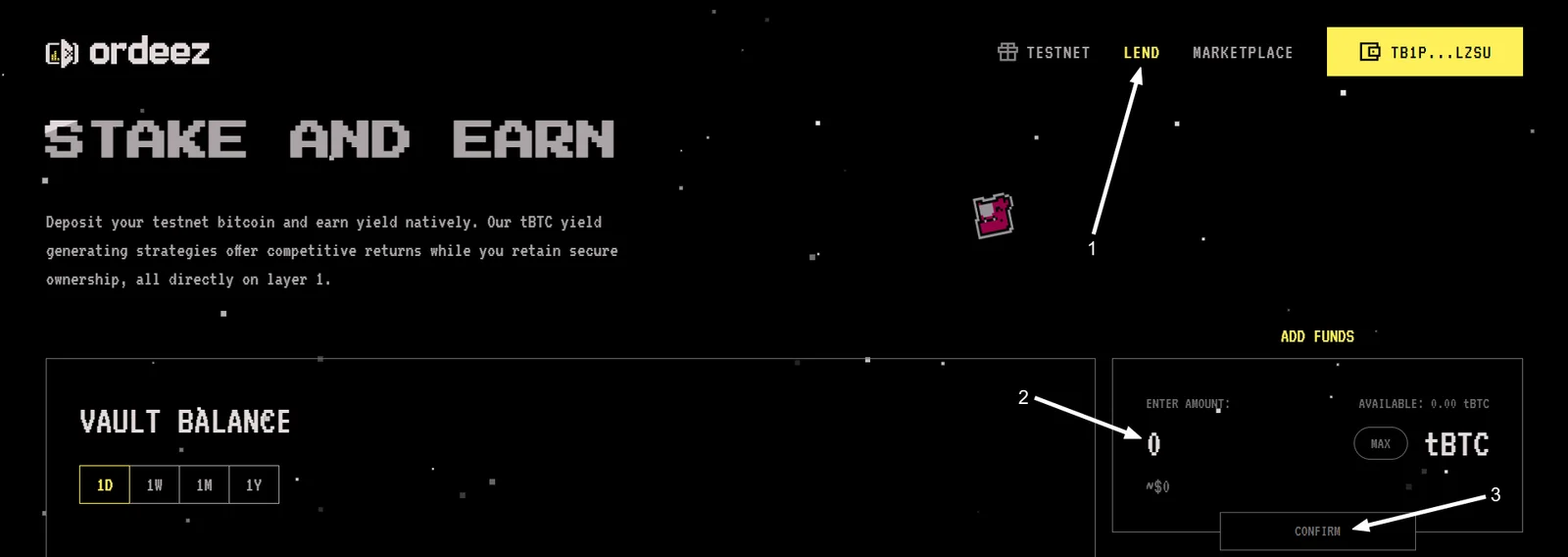
In the Lend tab, you can stake your test tokens. Enter the amount, click Confirm, and approve the transaction.
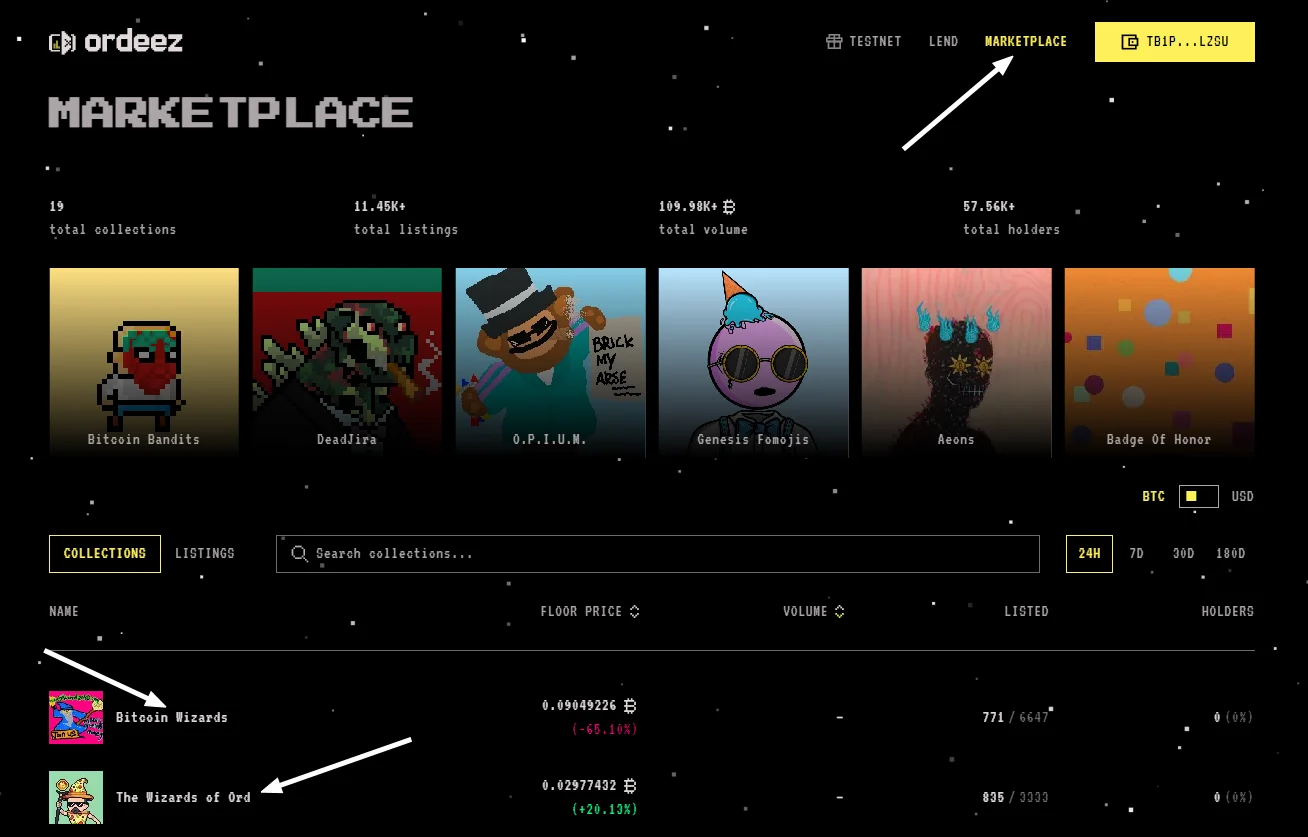
In the Marketplace tab, you can purchase various NFTs. Choose a collection, click on it, then select an NFT and click BUY INSTANT (if you don’t want to wait). Choose your gas fee level and confirm the transaction.
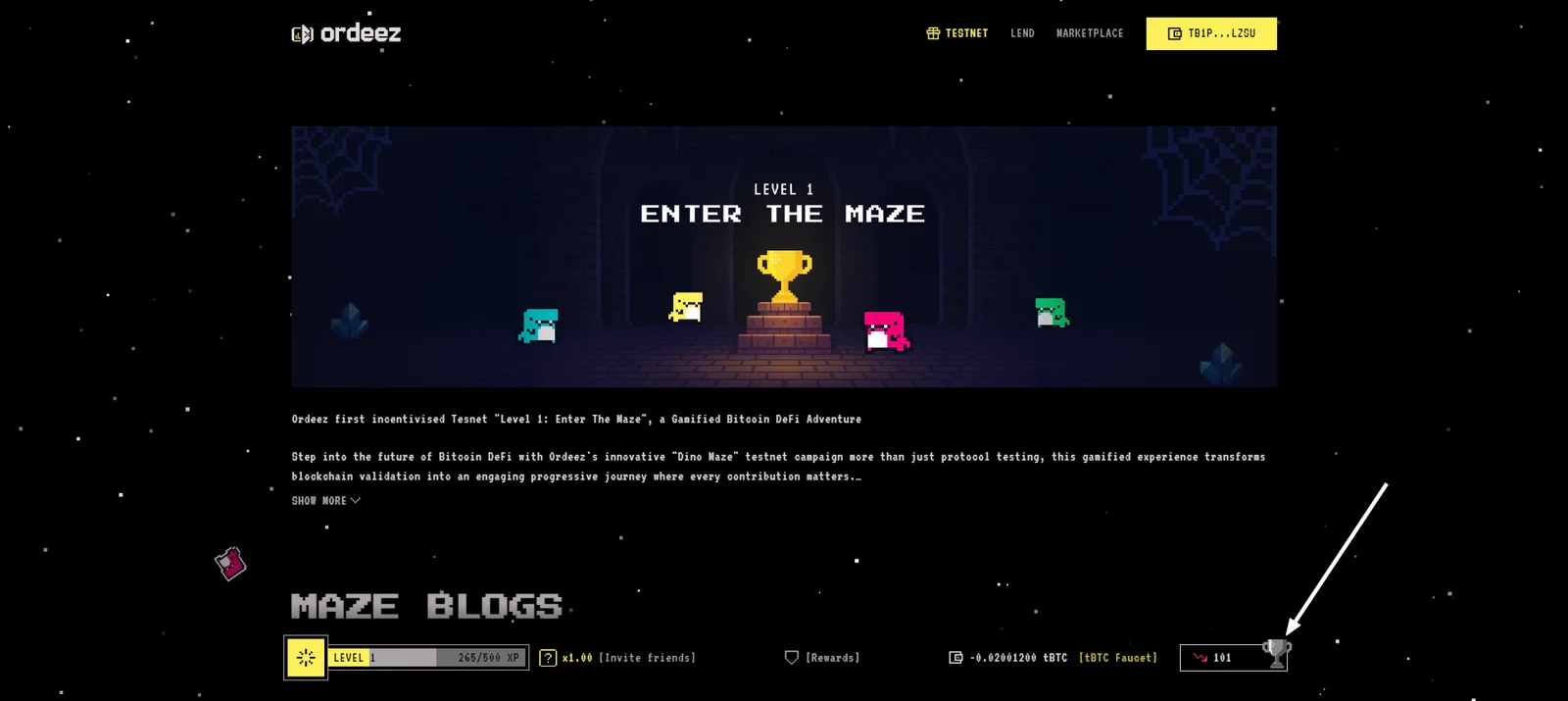
Track your position on the leaderboard by clicking the trophy icon.
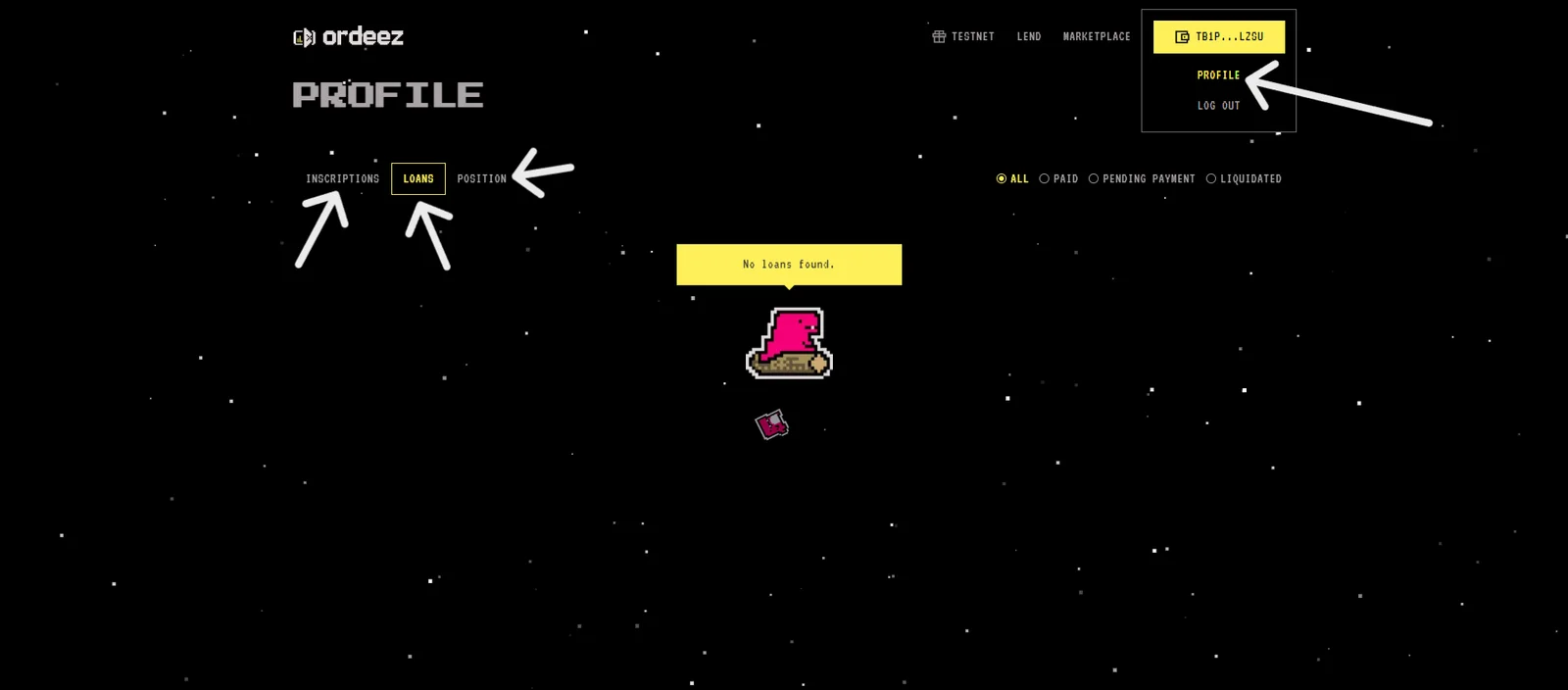
Click your wallet address, then go to Profile — here you can track your open positions and other site interactions.
Participating in airdrops is your choice and your risk. We don't guarantee any rewards. Connect your wallet only to official websites. If someone asks you to send crypto – it's a scam.