
투자
$2.3M

 +6
+6
+61 라운드
확정
whitelist/waitlist
노드 운영하기
진행 중FortyTwo는 얼마 전에 Inference Node 출시를 발표했습니다. 노드를 실행하여 보상을 받을 자격을 얻을 수 있습니다.
1
문서를 방문하여 본인에게 맞는 노드 설정 방법을 선택하세요. Quick Start 섹션에서 앱 또는 라이브러리를 다운로드하세요. 노드를 실행하려면 액세스 코드를 입력해야 합니다. Node Operator Form을 작성하여 코드를 받을 수 있습니다.
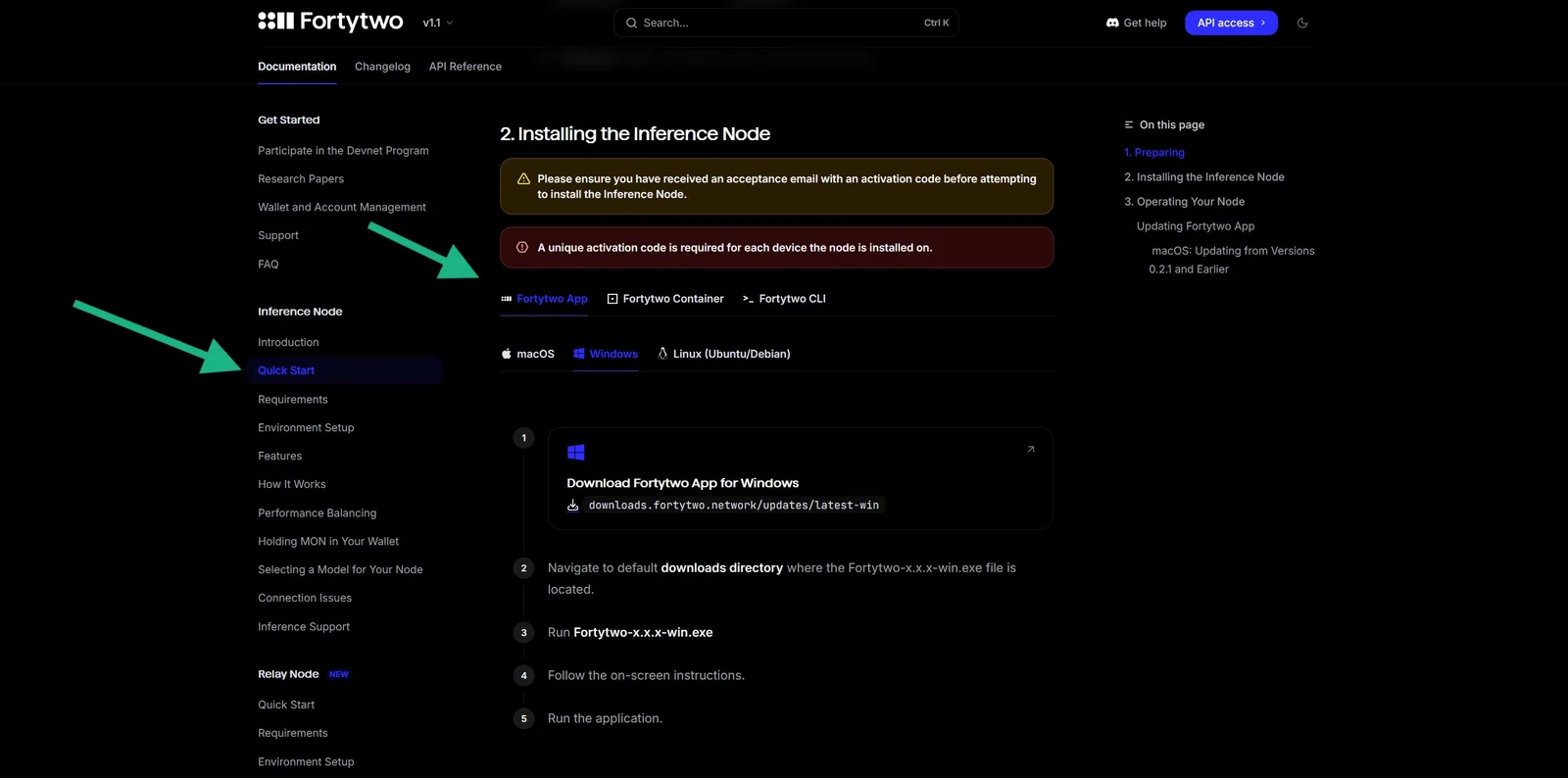
2
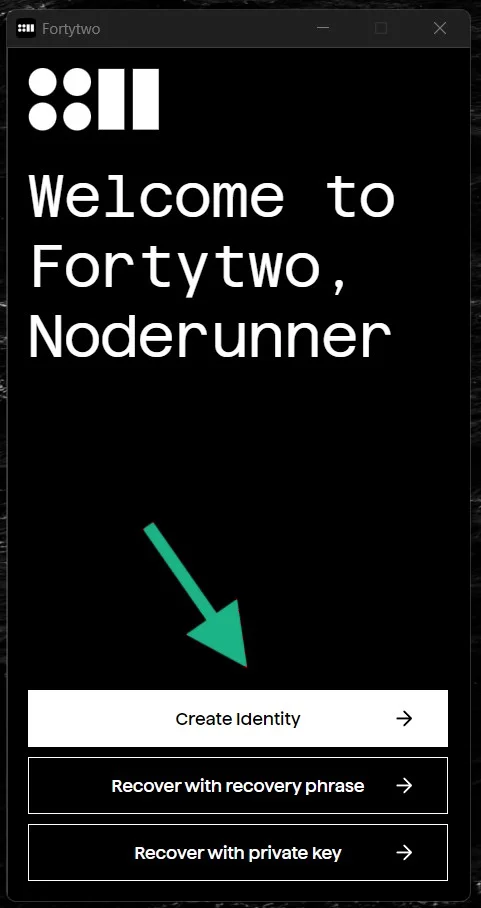
앱 설치 후 Create Identity를 클릭하여 계정을 생성하세요 (Windows 앱을 예로 보여드립니다). 이전에 받은 액세스 코드를 입력하세요.
3
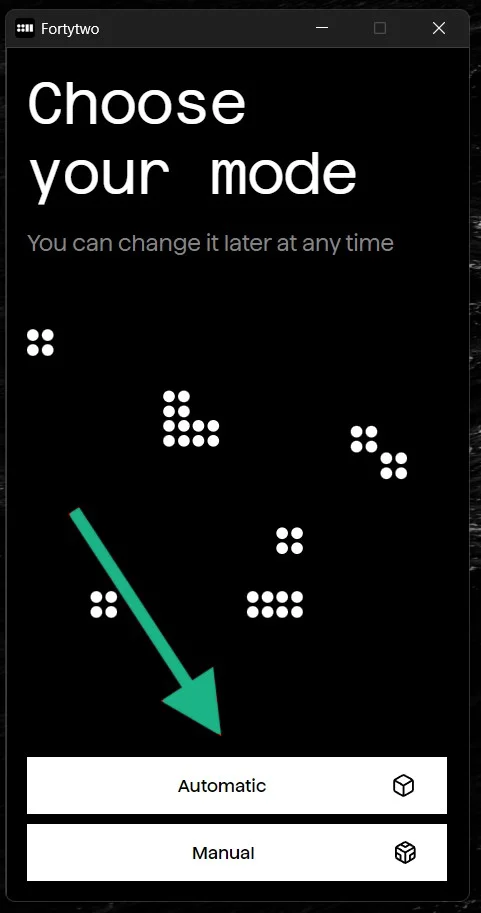
자동 모델 선택 모드를 선택하세요.
4
계정 주소에 최소 0.5 $MON을 충전하세요. MON 토큰은 네트워크 비용을 지불하는 데 사용됩니다. 계정 주소에 MON을 보유하는 방법에 대해 더 알아보려면 문서를 참조하세요.
5
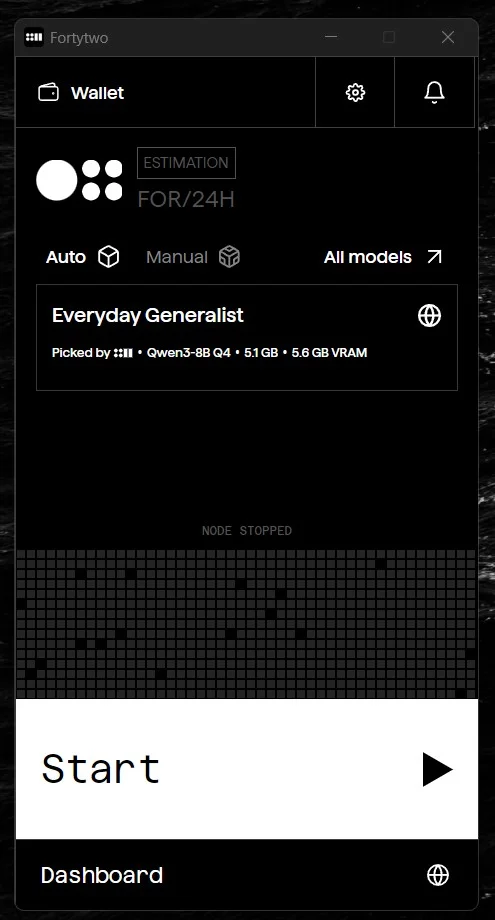
필요한 모델이 완전히 다운로드되면 Start를 클릭하세요. 노드가 실행됩니다. 대시보드에서 진행 상황을 추적할 수 있습니다.
에어드롭 참여는 본인의 선택이며 본인의 책임입니다. 보상을 보장하지 않습니다. 공식 사이트에만 지갑을 연결하세요. 누군가 크립토를 보내달라고 하면 사기입니다.